
Using procrank to measure memory usage on embedded Linux
Fri, 08/14/2015 - 17:46 — csimmondsOne of the fundamental questions programmers ask (or at least, they should) is: how much memory is my program using? It may be a simple question, but with a virtual memory operating system like Linux the answer is quite complex. The numbers given by top and ps don't really add up. Procrank is a tool commonly used by Android platform developers to give more accurate answers, but there is no reason why it can't be more widely used in other Linux based operating systems and it is especially useful for embedded Linux.
Android 5.1 Lollipop for BeagleBone Black
Sat, 06/20/2015 - 22:45 — csimmondsUpdate: This page is out of date. I have put together all of the information on running Android on BeagelBone on the Android4Beagle page
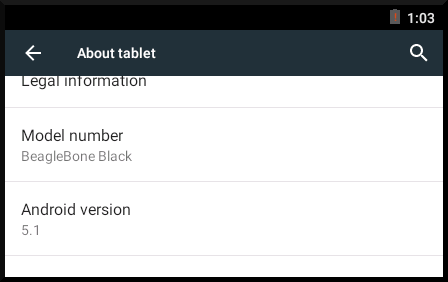
At last, here is Android Lollipop for BeagleBone Black!
Installing Google apps on BeagleBone
Sun, 10/05/2014 - 02:55 — csimmondsOnce you have ported AOSP to your platform, an obvious next step is to install some apps: maybe Gmail or Angry Birds. Ideally, you would want Google Play Store so that you can select apps from the 100,000's available. But, there is a problem. Play Store, like most of the apps on Play Store, requires Google Mobile Services (GMS) to work. GMS extends the Android framework by adding the libraries, configuration files and applications required to support the extended Google APIs that most developers know simply as Google Services. Most of these components are in the system partition so either they have to be included as part of the base AOSP build or installed as root afterwards. There is also a licensing issue: the components that make up GMS and applications like Gmail, Google Maps and Google Now are proprietary to Google and require a license.
Updated images for Android KitKat on BeagleBone Black
Mon, 09/15/2014 - 19:34 — csimmondsUpdate: This page is out of date. I have put together all of the information on running Android on BeagelBone on the Android4Beagle page
I have updated the internal eMMC flash and sdcard images for BeagleBone Black. Most changes are to make U-Boot work better with fastboot, especially to make it possible to enter fastboot without having to type "fastboot" at a U-Boot prompt and so avoid the need to have a serial cable. Also, I have increased the sizes of the system and userdata partitions so that you can install more apps. I am still using Android KitKat 4.4.4 and TI Linux 3.2 kernel with SGX accelerated graphics libraries.
Android sparse image format
Tue, 09/02/2014 - 14:24 — csimmondsFastboot
Many Android bootloaders implement the fastboot protocol for loading and flashing images to internal memory (there is some background information about how Android boots and boot image formats in these slides: http://www.slideshare.net/chrissimmonds/android-bootslides20). Fastboot is a simple USB protocol using ASCII text strings for commands and responses. In recent versions of the AOSP you can find the specification in system/core/fastboot/fastboot_protocol.txt.
KitKat 4.4 AOSP for BeagleBone Black with accelerated graphics
Thu, 07/24/2014 - 09:32 — csimmondsUpdate: This page is out of date. I have put together all of the information on running Android on BeagelBone on the Android4Beagle page
After a little bit of tweaking I have got my port of Android KitKat up and running on the BeagleBone Black. For some background on why I am doing this, read my previous post about Android on the BeagleBone Black
How Android finds OpenGL libraries, and the death of egl.cfg
Mon, 04/28/2014 - 20:40 — csimmondsEverybody who works on Android platform development knows that the vendor OpenGL libraries are located using information in egl.cfg. As of Android Kit Kat 4.4, they are out of date. Read on to find out why.
Building Jelly Bean 4.3 AOSP for Beaglebone Black v2.0 - with fastboot
Thu, 04/03/2014 - 12:32 — csimmondsUpdate: This page is out of date. I have put together all of the information on running Android on BeagelBone on the Android4Beagle page
A little while ago I wrote Building Jelly Bean 4.3 AOSP for Beaglebone Black which describes how to install Android on a micro SD card and boot the BeagleBone from it. Then I did some research on integrating fastboot into U-Boot and wrote Android fastboot for BeagleBone Black. Now I am bringing the two together.
I did think about editing the first article, but I think it is cleaner to have a new tutoruial that works for the new use case.
Android fastboot for BeagleBone Black
Fri, 03/28/2014 - 13:40 — csimmondsIn this article I describe how to install U-Boot with Android fastboot support on a BeagleBone Black, which means that you can install new Android images onto the internal eMMC memory over a USB cable using the normal “fastboot” command-line tool.
Chris Simmonds to speak at ABS 2014 and ELC 2014
Mon, 03/10/2014 - 17:29 — csimmondsI will be speaking at the Android Builder's Summit 2014 and Embedded Linux Conference 2014 this year. Both are held in San Jose between 29th April and 1st May.

 Twitter
 GitHub