
Looking after the Inner Penguin
Linux is everywhere, in devices all around you. Smart phones, tablets, smart TVs and WiFi routers all have their own "Inner Penguin".
About Chris Simmonds
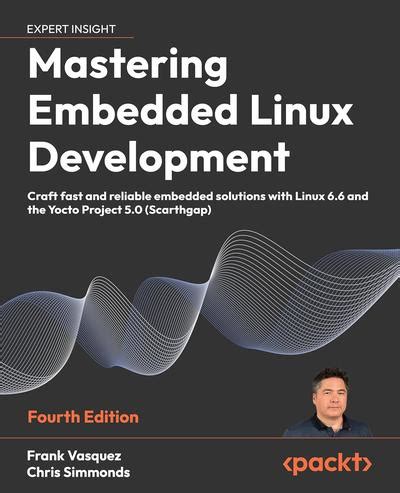
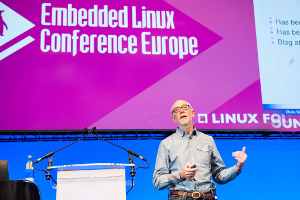
Chris formed 2net in 1998 to focus on developing software for what is now known as the "Internet of Things", and discovered Linux was the ideal basis for many of those things. In the intervening years, Chris has adapted Linux and Android to work on a wide variety of devices. He has encapsulated that experience into a popular series of training courses. Recently, Doulos has acquired those training courses. Doulos has over 30 years of experience in delivering training. You can contact Doulos to ask how they can deliver that knowledge to you.
Remember: take care of your Inner Penguin.
The AOSP and AAOS Meetup
Fri, 03/18/2022 - 16:21 — csimmondsThe web site for the AOSP and AAOS Meetup has moved to https://aospandaaos.github.io/
The Android Cuttlefish emulator
Tue, 03/08/2022 - 10:27 — csimmondsMarch 2022
Cuttlefish is a great way to test Android Open Source (AOSP) builds. It has been around since AOSP 9.0 and yet it is still not very well known. In this post I will give an overview of Cuttlefish, and show how to use it.
Contents
Android Automotive OS: an introduction
Sun, 10/31/2021 - 18:43 — csimmondsThis is the first in a series of blogs about Android Automotive OS
What is Android Automotive OS?
Android Automotive OS (AAOS) is a version of Android designed to run in a vehicle head unit and provide the “In Vehicle Infotainment” (IVI) system. In modern vehicles, the IVI system controls the heating and ventilation, provides audio streaming, shows the rear-view (and side view) cameras, offers navigation … and many other things besides.
Building AOSP 7.x Nougat with only 8 GiB RAM
Tue, 09/12/2017 - 11:24 — csimmondsThis is a problem that I ran across recently. Building the whole AOSP code base is a big task, and normally you would choose a machine with plenty of RAM. But, sometimes you need to build on a lesser machine. It happened to me when I was on the road and I wanted to run a build on my laptop, which has 8 GiB RAM, and a dual core hyper-threaded Intel i7 CPU. I have used this set up with Marshmallow and earlier versions without problem – it just takes a while, that’s all.
Announcing Android4Beagle
Wed, 10/05/2016 - 10:36 — csimmondsChris Simmonds has been working on ports of Android to the BeagleBone Black for several years, since he posted the first tutorial on running JellyBean 4.3.
Now all of that work has been consolidated into the Android4Beagle project. Android4Beagle aims to provide a vanilla Android build, based on AOSP. Currently, builds are available for KitKat, Lollipop and Marshmallow, with Nougat in the works.
2net at OpenIoT Summit and Embedded Linux Conference Europe 2016
Wed, 10/05/2016 - 10:20 — csimmondsChris Simmonds will be at the at OpenIoT Summit and Embedded Linux Conference Europe 2016. This year he will be giving two presentations:
- Read-only rootfs: Theory and Practice http://sched.co/7rsh
- Software Update for IoT: The Current State of Play http://sched.co/7rrJ
He will be posting links to the presentations just as soon as he has finished writing them. Hope to see you there!
Building Brillo: first impressions
Tue, 03/22/2016 - 11:07 — csimmondsUpdate: Brillo was abandoned by Google in December 2016 in favour of Android Things
Brillo (https://developers.google.com/brillo/) is Google's operating system for devices that are connected to the IoT. They communicate with each other, with the cloud and with mobile apps using a system called Weave (https://developers.google.com/weave/). Brillo and Weave are still under wraps: you have to request an invite from the two links in order to get access to documentation, sample code, and so on. However, there is enough information publicly available to build and test a device running Brillo, which is what this blog is about. I hope to cover Weave in a later post.
Brillo is actually a cut-down version of Android. Basically, all the Java components have been stripped away leaving a much simpler embedded Linux operating system. When building Brillo, some things pop out immediately, which may give a preview of future Android builds:
- GNU make is out: the build is run by kati/ninja (same for Android N preview)
- GCC is out: almost all C/C++ components are compiled using clang (same for Android N preview)
- Linux kernel source is in: the AOSP tree has vendor kernels in hardware/bsp/kernel. The kernel is built using GCC, as it is not (yet) possible to build it with clang
- DBUS is in: I have not yet found out why
- Toybox is in: leading to a much more Linux-like command line experience
Below, I show how to build and run the Brillo emulator
How Linux programmers changed the world
Tue, 02/23/2016 - 11:13 — csimmondsThe story of how Linux grew to become a world-class embedded operating system is a fascinating tail of individual endeavour and collective cooperation. See the slides and accompanying paper from Chirs Simmonds' presentation at Embedded World 2016 for the full monty
Slides: http://2net.co.uk/slides/ew2016-embedded-linux-timeline-slides.pdf
Paper: http://2net.co.uk/slides/ew2016-embedded-linux-timeline-paper.pdf
How to avoid writing device drivers for embedded Linux
Tue, 02/23/2016 - 11:07 — csimmondsWriting device drivers to control new hardware can be hard work. Chris Simmonds, speaking at Embedded World 2016, explains how to take the easy road by writing userspace drivers.
Slides: http://2net.co.uk/slides/ew2016-userspace-drivers-slides.pdf
Paper: http://2net.co.uk/slides/ew2016-userspace-drivers-paper.pdf
Sample code: http://2net.co.uk/downloads/ew2016-demos.tar.gz

 Twitter
 GitHub